

Last updated: November 2026
What Is Keyword Mapping?
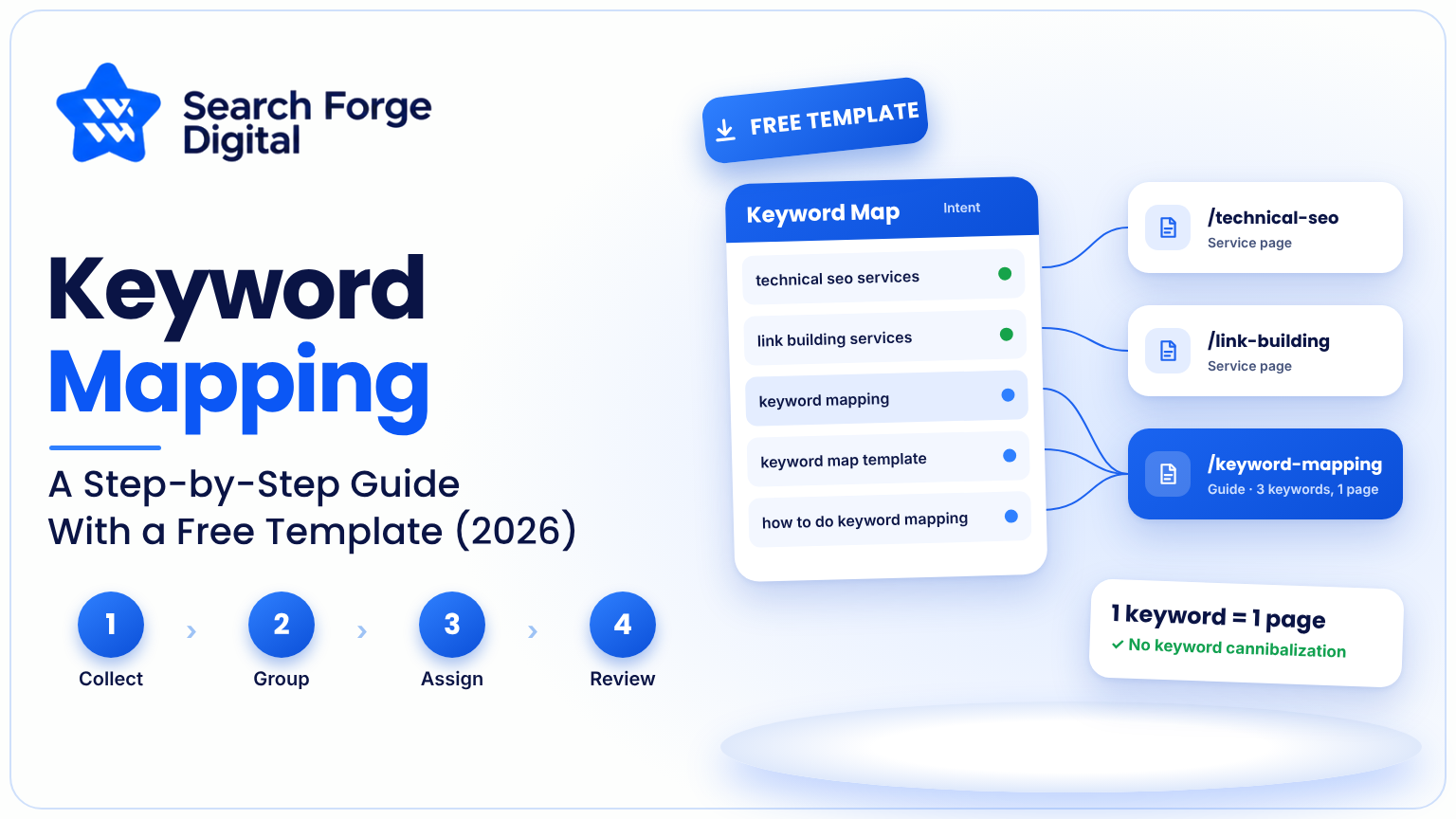
Keyword mapping is the process of assigning specific search terms to specific pages on your website, so that every page has one clear job. The result is a document, usually a spreadsheet, that shows which URL should rank for which queries.
It sits between two other jobs. Keyword research finds the terms people search. Content creation turns them into pages. Keyword mapping decides where each term belongs, and it is the step that stops research from turning into a messy pile of ideas.
A good keyword map answers four questions for every page: what is this page about, which main keyword does it target, which supporting keywords belong with it, and what does the searcher actually want?
Why Keyword Mapping Matters for SEO
Without a map websites drift. Different writers choose topics, old pages overlap and important searches receive no page at all. Keyword Mapping solves this problem in four ways.
• It stops keyword cannibalization. When two or three pages answer the question Google must decide which one to show. Both pages may rank lower than a single stronger page would rank.
• It reveals content gaps. If a valuable keyword has no page assigned you have found a topic to write about.
• It improves linking. Once you know each page’s target you know which anchor text to use and where to link.
• It makes work measurable. Each page has a target so you can see whether it is moving in the right direction.
If you are planning a strategy our SEO services explain where Keyword Mapping fits into the whole process from research to, on-page and technical work.
Keyword Mapping vs Keyword Research vs Keyword Clustering
These three terms are often mixed up, so here is the difference.
| Term | What it does | Output |
|---|---|---|
| Keyword research | Finds terms people search for | A raw list of keywords with volume and difficulty |
| Keyword clustering | Groups similar terms that share one intent | Clusters of related keywords |
| Keyword mapping | Assigns each cluster to a page | A map of URLs and target keywords |
In practice you do them in that order: research, cluster, then map.
How to Do Keyword Mapping: 7 Steps
Step 1: Build Your Keyword List
Start with research.Pull terms from your keyword tool of choice, from Google Search Console queries your site already earns impressions for, from competitor pages, and from questions your customers ask. For an existing site, Search Console is especially useful because it shows what Google already associates with your pages.
Export everything into one sheet with at least these columns: keyword, monthly search volume and keyword difficulty.
Step 2: Group Keywords by Search Intent
Search intent is what the searcher wants to achieve. Most queries fall into four groups.
- Informational: the person wants to learn (“what is keyword mapping”).
- Commercial investigation: the person is comparing options (“best keyword mapping tools”).
- Transactional: the person is ready to act (“keyword mapping service”).
- Navigational: the person wants a specific brand or site.
Label each keyword with its intent. This matters because intent decides the page type. Informational terms usually suit blog posts or guides, comparison terms suit list articles, and transactional terms suit service or product pages.
Step 3: Cluster keywords that share one intent
Some keywords are simply words for the same need. “Keyword map,” “keyword mapping template ” and “how to map keywords” often belong on one page. Other keywords look similar. Require separate pages.
A quick test is to search each keyword and look at the results. If the same pages appear for both terms a single page can cover both. If the results are clearly different separate pages are required.
Step 4: Pick one keyword per page
For each cluster select a single primary keyword. This is normally the keyword that has the mix of search volume, relevance and realistic difficulty. The other keywords in the cluster become keywords on the same page.
The rule is one keyword per page and one page, per primary keyword. If you end up assigning the primary keyword to two URLs merge the pages or change the target of one.

Step 5: Match Keywords to Existing Pages
Before creating anything new, audit what you already have. List your current URLs and match each cluster to the page that fits best. Then sort each cluster into one of three outcomes:
- Page exists and fits: keep it and optimize it.
- Page exists but is weak or overlaps another: rewrite it, merge it with a stronger page, or redirect it.
- No page exists: add it to your content plan.
This is the stage where cannibalization shows up. Two URLs mapped to one cluster is the signal to act. If you are not sure which pages overlap or underperform, a free SEO audit can flag them for you.
Step 6: Record Everything in a Keyword Map
Put the results in one sheet. The template below works for most sites.
| URL | Page type | Primary keyword | Secondary keywords | Search intent | Volume | Action | Priority |
|---|---|---|---|---|---|---|---|
| /keyword-mapping/ | Blog guide | keyword mapping | keyword map template, how to map keywords | Informational | Add from your tool | Create | High |
| /seo-services/ | Service page | seo services | seo company, seo agency | Transactional | Add from your tool | Optimize | High |
| /blog/old-keyword-post/ | Blog post | keyword research tips | keyword research basics | Informational | Add from your tool | Merge | Medium |
The entries above are illustrative. Replace them with your own URLs and numbers from your keyword tool.
Useful extra columns include current ranking position, target page title, target meta description and internal links to add.
Step 7: Put the Map on the Page
A map is only useful when it appears on the page. For every URL that is mapped make sure to include the keyword and similar versions in these places:
• The title tag and the main heading (H1)
• The first paragraph
• At least one subheading where it makes sense
• The URL slug
• The description
• The image alt text when it is needed
Write for the reader. Putting a keyword in every place makes the page worse. Does not help it rank. Use related keywords where they fit naturally in the content. Our, on-page SEO service handles this step for every mapped page.
If you want the technical part checked well a technical SEO audit will make sure that titles, headings, canonical tags and indexing support your map.
How to Use Internal Links With Your Keyword Map
The keyword map shows what each page is about. This makes internal linking much easier.
• Link from pages that support a topic to the page that owns that topic.
• Use anchor text that describes the target page’s topic. Vary it naturally of using the same phrase over and over.
• Link from pages with traffic, to important commercial pages where the link actually helps the reader.
• Avoid linking to a page that competes with the one you are writing.
A good habit is to add a column called ” links to add” in your keyword map. That way every new page gets linked from existing pages on the day it is published.
A Simple Keyword Mapping Example
Imagine a small agency website with these keywords.
| Keyword | Intent | Decision |
|---|---|---|
| seo audit | Transactional | Map to the SEO audit service page |
| what is an seo audit | Informational | Map to a blog guide, link to the service page |
| seo audit checklist | Informational | Map to a separate checklist article |
| website seo checker | Transactional | Check the results first, and merge with the audit page if the intent matches |
The example shows the main idea. Related keywords are not automatically the same keyword, and intent decides whether they share a page.

Keyword Mapping for Blogs, Service Pages and Ecommerce
The method stays the same, but the page types differ.
- Blog content: map informational and comparison terms. Aim for one article per intent and link each article to a relevant service or category page.
- Service pages: map transactional terms, and keep each service on its own page so they do not compete.
- Ecommerce: map category pages to broader terms and product pages to specific product terms. Be careful with filters and variants that create near-duplicate URLs.
- Local businesses: map location-based terms to dedicated location pages, with distinct content for each.
Keyword Mapping in the Age of AI Search
I find that AI search tools answer questions in a way but they still rely on clear organized pages.
I find that a Keyword Mapping map helps well because pages with one clear purpose are easier for both people and search systems to understand.
I think two changes are worth making.
First think about topics and questions well as exact phrases and add the real questions customers ask to your secondary keywords.
Second make sure each page answers its question near the top.
Nobody can guarantee how any AI system will use your content. Clarity and focus on topics help everywhere.
If you want help, with this side see our generative engine optimization service.
Best Tools for Keyword Mapping
You do not need special software. A spreadsheet is enough for most sites. These tools help with the data:
- Google Search Console: shows the queries your site already appears for.
- Google Keyword Planner: gives volume ranges for keyword ideas.
- Semrush and Ahrefs: keyword research, difficulty scores, competitor gaps and rank tracking.
- Google Sheets or Excel: the map itself.
Choose based on your budget. The method matters more than the tool.
Common Keyword Mapping Mistakes
- Mapping the same primary keyword to several pages. This is the main cause of cannibalization.
- Ignoring search intent. A product page will struggle to rank for a purely informational query.
- Mapping too many keywords to one page. A page with ten unrelated targets serves none of them well.
- Treating the map as finished. Rankings, competitors and customer language change.
- Chasing volume alone. A lower-volume term with clear intent often converts better.
- Never connecting the map to the site. If titles, headings and links never change, the map has no effect.
How Often Should You Update Your Keyword Map?
Review it at least every quarter, and also after any big site change such as a redesign, a migration or a content push. Check Search Console for pages that earn impressions but few clicks, pages that rank for unexpected queries, and pages whose rankings have slipped. Then adjust targets, refresh content or merge pages as needed.
Final Takeaway
Keyword mapping turns a long list of search terms into a clear plan: one page, one purpose, one primary keyword. Do the research, group by intent, assign each cluster to a page, record it in a sheet and put it into practice on the page. Then review it regularly.
If you would rather have an expert build and implement your map, talk to the team at Search Forge Digital about an SEO strategy built around your keywords, or start with a free SEO audit.


